You have a greenfield MQTT deployment to design, or a brownfield historian-to-edge migration in front of you, and the first question the field team asks is: what do we actually put on the plant floor? The spec sheet doesn't tell you how a fanless industrial PC handles 47°C ambient with iron ore dust coating the heatsinks. The datasheet shows IP ratings. The quarry doesn't.
This article benchmarks five hardware platforms against the conditions that actually exist on Pilbara sites, and then walks through the MQTT broker stack and architecture decision that will determine whether your edge deployment holds for three years or six months.
The Pilbara Conditions Don't Follow Datasheets
Before the hardware analysis, you need to know what you're designing for. A Pilbara quarry is not a clean room, a data centre, or a temperate-climate factory floor.
The ambient temperatures that matter are not the spec sheet maximums. They're the temperatures inside the cabinet when the external ambient hits 47°C, the cabinet has been sitting in direct sun for four hours, and the VFDs and motor drives on the adjacent panel are each dumping 80W of heat into the same enclosure bay. A cabinet that sees 62°C internal on a 47°C day is not an edge case — it's Tuesday in January.
The dust profile matters more than the IP rating implies. Iron ore fines are not the same as construction dust. They're sub-micron particles that work through gasket seals over time, coat printed circuit boards, and accelerate wear on cooling fan bearings. An IP65-rated enclosure with a breath-through Gore membrane will eventually fail in a quarry; the timeline depends on how often the site crew cleans the cabinet exterior and whether the membrane has been changed in the last two years.
Power quality is an underrated variable. Many Pilbara sites run on mine-site generation with occasional voltage sags and spikes that trip consumer-grade UPS units. Industrial-grade hardware with wide DC input ranges and transient voltage suppression handles this better. So does architecting for graceful degradation — the edge broker should survive a 30-second power event without losing its message store.
Hardware Comparison: Five Platforms
The following five platforms are evaluated for Pilbara quarry deployment. Each is assessed against four criteria: thermal headroom at 47°C+ ambient, dust and vibration resistance, MQTT broker performance under load, and site maintainability (spare parts, remote diagnostics, field replaceable).
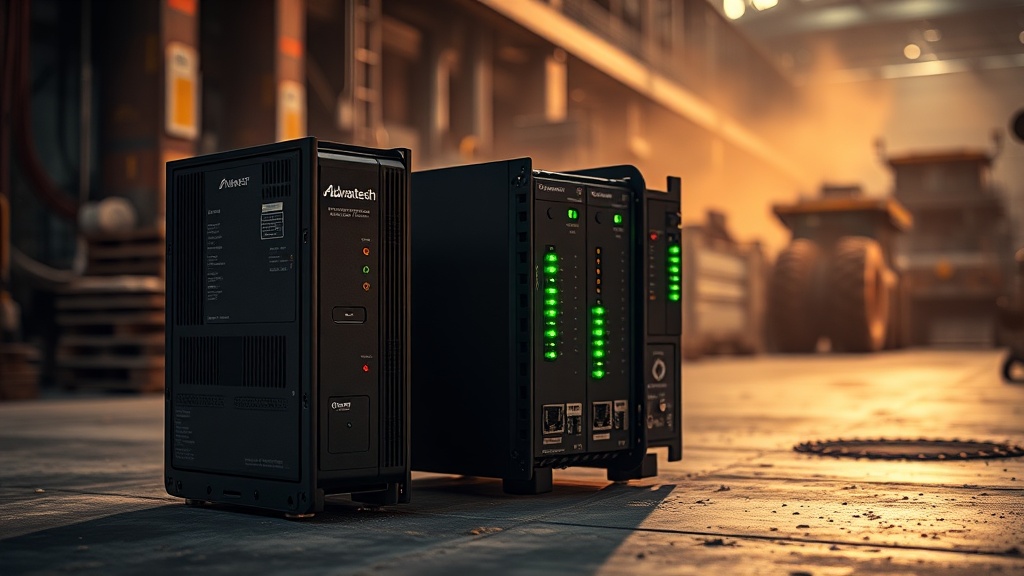
Advantech UNO-2372G
Advantech UNO-2372G — Fanless Industrial Gateway
Advantech's UNO series is the most common choice for edge MQTT deployments in Australian mining, and for good reason. The 2372G has solid thermal headroom — the 60°C rating holds in practice when the unit is mounted vertically and the cabinet has any form of passive airflow. The fanless design eliminates the single biggest failure mode in quarry environments: the cooling fan bearing seizing at 50°C ambient.
The IP40 rating on the card cage is meaningful for dust: it stops objects larger than 1mm, which covers iron ore coarse particles. Fine dust will still migrate through breathing vents over years — plan for a two-year enclosure service cycle.
As an MQTT broker host, the UNO-2372G comfortably handles 10,000+ messages per second with EMQX. With 16GB RAM and a Core i3, you can run EMQX + Telegraf + a lightweight Node-RED instance simultaneously without contention.
✓ Fit for purpose — most quarry deployments
Siemens SIMATIC IPC847D
Siemens SIMATIC IPC847D — High-Performance Industrial PC
The IPC847D is over-specified for a pure MQTT edge broker, which is exactly why it's the right choice when the edge node is doing more: running an Ignition Edge SCADA instance, archiving to TimescaleDB, and serving Grafana dashboards to plant floor screens simultaneously. It is not a fanless unit — it has active cooling — but the redundant hot-swappable fans are field-replaceable and the IPC has a 24-month on-site warranty with Siemens Australia field service.
The 55°C thermal ceiling is the constraint to watch. On a 47°C ambient day, in a poorly ventilated cabinet, you'll hit 55°C internal before noon. Thermal modelling of the cabinet and active cooling provision are non-negotiable at this spec level. The IP54 filter-fan unit adds positive pressure which actively repels dust ingress — a better long-term strategy than trying to seal the cabinet statically.
For sites already running Siemens PCS7 or TIA Portal infrastructure, the IPC847D is the natural choice and the engineering team already knows the management interface. The pricing reflects this — it's roughly 3–4× the cost of a comparable Advantech UNO.
~ Limited — only with active cabinet cooling
Moxa DA-820C
Moxa DA-820C — x86-Architecture Industrial Gateway
The DA-820C is Moxa's flagship edge gateway and the platform I'd pick for the most hostile deployments: extreme temperatures, remote sites with infrequent maintenance visits, and power supply variability. The wide-temp Atom variant (−40°C to 75°C) gives you real headroom, not spec-sheet headroom.
The Atom C-series is not a performance CPU. For a pure MQTT broker role with EMQX running 5,000–8,000 messages per second, it's comfortable. If you're also running TimescaleDB on the same node, you'll see CPU constraint. The 4-core C3558 variant gives you headroom for Telegraf plus the broker on a single machine at moderate message rates.
Moxa's industrial-grade build quality is genuinely different from consumer-grade hardware. The DC input accepts 8–60VDC, which means VFD-disturbed power rails (voltage sag, inductive kick, brief over-voltage) won't crash the unit. The 75°C upper rating means thermal failure in a Pilbara cabinet is genuinely unlikely.
Moxa also ships the DA-820C with their ioThinx protocol converter module compatibility, making it a natural choice when integrating legacy Modbus RTU PLCs and modern OPC-UA clients simultaneously. This makes it the strongest fit when the edge node is doing protocol bridging as well as MQTT.
✓ Fit for purpose — highest thermal margin
Revolution Pi Connect 5
Revolution Pi Connect 5 — Raspberry Pi Compute Module Based
The Revolution Pi Connect 5 occupies a specific niche: sites where the engineering team is already comfortable with Raspberry Pi-based solutions, where the MQTT broker is a secondary function (the primary being IO-link sensor aggregation or simple Modbus polling), and where budget is the binding constraint. It is not the right platform for high-message-rate historian bridging or for deployments where the edge node will run unattended for 18 months at a time.
The CM4 industrial variant's 60°C ceiling is real but tight. With the Connect 5 mounted inside a sealed enclosure, you'll have minimal headroom in a 47°C ambient environment. Active enclosure cooling or an external heatsink becomes necessary rather than optional. The IP20 rating means no direct dust protection — this unit belongs inside a filtered enclosure cabinet, not on a bare plant floor.
On the MQTT side, EMQX runs well on the CM4 for low-to-moderate message volumes. Mosquitto is the more common choice here — lighter weight, easier to configure from a Pi, and adequate for 2,000–3,000 messages per second on a CM4. At higher volumes you'll saturate the CPU.
~ Use case dependent — fit for low-complexity deployments
ifm AL series (AL135 / AL235)
ifm AL series — Edge Controller / Smart Sensor Gateway
The ifm AL series is architecturally different from the other four platforms. The UNO, IPC847D, and DA-820C are general-purpose x86/ARM gateway computers. The AL series is an edge controller — it's designed to be mounted close to the machine, not inside a climate-controlled cabinet. The IP67 housing means you can mount it on the crusher structure in a location where the cabinet would be impractical.
The AL135 (dual-core) is too constrained for a full MQTT broker stack — it's designed as a smart sensor gateway and IO-link master, running ifm's own AL2540 MQTT client or similar. The AL235 (quad-core, 2GB RAM) can host EMQX at a light scale, particularly for store-and-forward buffering on a single piece of equipment — for example, aggregating 30 IO-link sensors on a vibrating screen and publishing a condensed dataset to the edge broker every 5 seconds.
This makes the AL series a good complement to a heavier edge node rather than a replacement for one. Use the AL235 at the machine level for local aggregation and alarm pre-processing; use a DA-820C or UNO-2372G at the network level as the site-wide MQTT broker and historian buffer.
✓ Fit for purpose — machine-level aggregation role
MQTT Broker Stack Selection
The broker stack decision for a Pilbara site depends on one constraint above all others: satellite link availability. Most quarry sites have intermittent or low-bandwidth connectivity back to a corporate data centre. A centralised MQTT architecture where all edge nodes publish directly to a cloud-hosted broker will work at full bandwidth and fail silently when the satellite link drops. Your tag data goes missing during the outage window, and you have no record of what happened during the gap.
Store-and-forward is not optional. It's the baseline requirement for any historian-quality MQTT deployment in remote mining operations.
EMQX at the edge
EMQX is the right choice for Pilbara deployments. Its open-source tier handles everything most quarry sites need: MQTT 3.1.1 and 5.0 support, TLS, authentication, rule engine for topic-based filtering, and a web dashboard for monitoring message rates and client connections in real time. The enterprise tier adds cluster federation — you can federate edge brokers to a central broker with automatic session bridging when the link is up.
On a DA-820C or UNO-2372G, a single EMQX instance handles 15,000–20,000 messages per second at 10–15% CPU utilisation. That's more than adequate for a mid-size quarry with 200–300 PLC tags publishing at 1-second intervals.
The rule engine is the underused feature. Rather than writing Telegraf or custom scripts to transform and route messages, EMQX's rule engine can filter, transform, and route MQTT messages at the broker level. Tag validation, unit conversion, topic remapping — all inside the broker, no separate transformation layer needed.
# EMQX rule engine: strip prefix, rename topic, attach timestamp
Rule: topic_matches(clientid, "plc/+/status")
Action: republish
  Target Topic: plant/{device}/status
  Payload Template: {
    "ts": ${timestamp},
    "device": ${clientid},
    "values": ${payload}
  }
QoS: 1
Mosquitto as a lightweight option
Mosquitto is appropriate for Revolution Pi deployments or sites with genuinely constrained hardware. It's lightweight, has a tiny footprint, and is available in most package managers. The trade-off is feature parity: Mosquitto has no built-in rule engine, no web dashboard, and no native clustering. For a single-edge-node deployment with no federation requirement, Mosquitto is the right answer. For anything that will grow to multiple edge nodes or require broker-to-broker federation, start with EMQX.
# Mosquitto persistence config (store-and-forward)
persistence true
persistence_location /var/lib/mosquitto/
max_keepalive 120
max_queued_messages 10000
queue_qos0_messages false
Centralised vs. Store-and-Forward: The Decision Matrix
The architecture decision is not MQTT broker choice — it's how you handle connectivity failure. This is the decision that will determine your data integrity on the first power event.
| Factor | Centralised (Cloud Broker) | Store-and-Forward (Edge Broker + Sync) |
|---|---|---|
| Link availability | Requires continuous connectivity | Handles 72+ hour outages |
| Data integrity | Messages lost during outage | All messages buffered, synced on reconnect |
| Latency (live data) | Lower (direct to cloud) | Slightly higher (edge first, then sync) |
| Hardware cost | Lower (thin client at edge) | Higher (edge broker + local storage) |
| Complexity | Simpler topology | Requires sync strategy and conflict resolution |
| Best fit | Connected processing plants, corporate networks | Remote quarries, satellite-linked sites, FIFO operations |
For any Pilbara quarry site with more than 6 hours of drive time to the nearest maintenance contractor, store-and-forward is the only appropriate architecture. The edge EMQX instance runs with a persistent message store and a configured sync interval — every 15 minutes, or every hour, or on-demand — depending on how frequently the site's data consumers need the consolidated dataset.
For FIFO crew operations, the edge historian (TimescaleDB on the same hardware) is the authoritative record. The corporate historian in Perth is eventually consistent with the edge — it gets the data when the link is up. During an outage, the edge historian holds 72 hours of data and serves it to the Grafana instance running on the same hardware. The operator on the plant floor sees the same dashboard at 02:00 as they do when the satellite link is live.
Recommendation Summary
For a single-site quarry deploying edge MQTT from scratch:
- Primary edge node: Moxa DA-820C (AL235 variant) or Advantech UNO-2372G — both have the thermal headroom for a Pilbara cabinet. Moxa wins on power resilience and extreme temperature margin. Advantech wins on ecosystem support and local supply chain.
- MQTT broker: EMQX. Full stop. Don't start with Mosquitto and plan to migrate — EMQX from day one, configured with the rule engine for data transformation, persistence for store-and-forward, and the web dashboard for operational visibility.
- Architecture: Store-and-forward. The edge broker owns the data. The cloud historian syncs on a schedule. During outages, the edge holds everything and continues to serve dashboards.
- Machine-level aggregation: ifm AL235 mounted at the equipment level for IO-link sensor aggregation and local alarm pre-processing.
- Deploy RevPi only if: the engineering team already operates RevPi infrastructure, the message rate is under 2,000/sec, and the site has frequent maintenance windows where hardware can be physically accessed.
The hardware decision is not the hard part. The hard part is sizing the edge node for the message rate you'll actually see in five years — not the message rate you think you'll see on day one. Every site I've seen under-scale on their first edge deployment. They buy a RevPi for a site that ends up with 15,000 tags and 40 PLCs, and then spend 18 months migrating to a Moxa. Size for the five-year state.
Design Your Edge MQTT Architecture
RATECH benchmarks hardware against your specific site conditions, sizes the MQTT broker stack for your current and five-year message rate, and designs the store-and-forward architecture that won't lose data during satellite outages. The pilot is free — it runs on your plant floor with your equipment.